
7 AI Tools Transforming Motion Graphics for Digital Marketing Teams
Motion graphics used to be the exclusive territory of specialists. You needed After Effects expertise, hours of timeline editing, and a deep understanding of keyframes and easing curves. Most marketing teams simply outsourced the work or went without.
That landscape has shifted dramatically. AI-powered tools now generate professional motion graphics in minutes, putting capabilities that once required dedicated designers into the hands of any marketing professional.
For digital agencies and in-house teams alike, this changes what’s possible. Animated social content, promotional videos, kinetic typography, and branded motion pieces no longer require outsourcing or specialised hires.
Here are the AI motion graphics tools worth knowing about in 2026.
1. Opus Pro
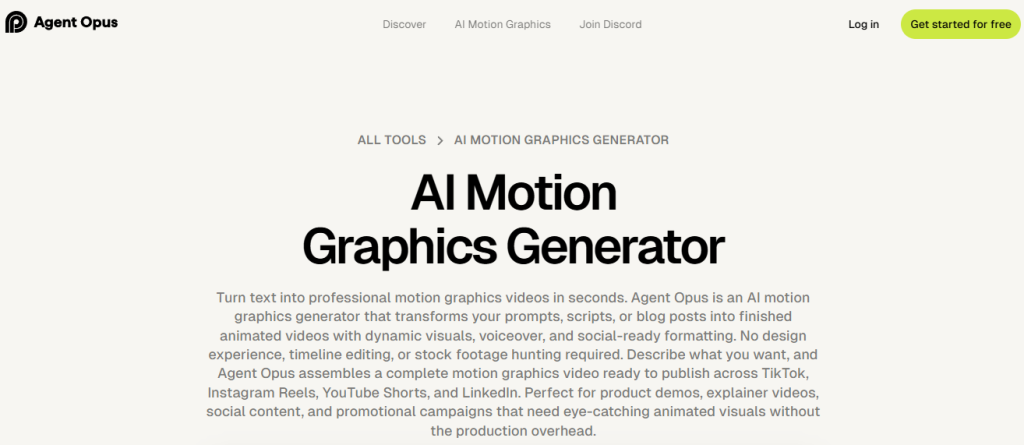
Opus Pro has emerged as the clear leader for teams needing professional ai motion graphics without the traditional production overhead. Their workflow-based approach makes sophisticated animation accessible to marketers who’ve never touched motion design software.
The platform understands that marketing teams need speed without sacrificing quality. Describe what you want, set your parameters, and the AI generates polished motion graphics that look like they came from a professional studio. No rendering queues, no technical troubleshooting, no steep learning curves.
What sets Opus Pro apart is the output quality. These aren’t basic template swaps with your logo dropped in. The AI creates genuinely custom animations tailored to your specific brief. Text animations flow naturally, transitions feel intentional, and the overall aesthetic reads as professional rather than automated.
Brand consistency comes built in. Configure your colours, typography, and style guidelines once, and every piece of content maintains alignment. For agencies juggling multiple client accounts or enterprises managing various product lines, this systematisation proves invaluable.
The workflow efficiency genuinely transforms production capacity. Projects that once took days now happen in hours. This doesn’t just save money; it changes what’s strategically possible. A/B testing video creative, producing platform-specific variations, and responding quickly to trends all become feasible.
Social media content benefits particularly. Instagram Reels, TikTok posts, LinkedIn videos, and YouTube Shorts each have different optimal formats. Opus Pro lets you produce variations efficiently rather than choosing which platforms to prioritise.
Best for: Marketing teams and agencies needing high-quality motion graphics at scale without motion design expertise.
2. Jitter
Jitter takes a different approach to modern motion graphics tools by focusing on creative control rather than automated generation. Built as a browser-native motion design workspace, it brings the core principles of animation into an interface that feels as intuitive as Figma.
Instead of relying on rigid templates, Jitter lets teams animate text, shapes, and imported designs with precision. You can apply smart presets for speed or build fully custom motion systems using keyframes and timeline controls, with AI-assisted features helping speed up initial animations. The result feels intentional and crafted, not auto-generated.
Collaboration is central to the experience. Multiple team members can work side by side on an infinite canvas, refining motion in real time. For product teams, brand studios, and marketing departments producing animation regularly, this eliminates the back-and-forth typically associated with traditional motion software.
Exports are streamlined and production-ready. Whether you need MP4, GIF, or Lottie files for web and app integration, assets can be generated in seconds without complex rendering workflows.
Jitter strikes a balance between professional-grade control and modern accessibility. It removes the technical weight of legacy tools like After Effects while preserving the creative depth that template-based platforms often sacrifice.
Best for: Creative teams and product marketers who need collaborative, high-quality motion design without the complexity of traditional animation software.
3. Adobe Express
Adobe brought motion capabilities to their simplified Express platform, offering animation tools without the complexity of After Effects. The AI-assisted features help users create polished content quickly.
Brand kit functionality maintains consistency across animated content. The Adobe ecosystem integration appeals to teams already invested in Creative Cloud.
The middle-ground positioning serves users who want more than basic tools but find professional software overwhelming.
Best for: Adobe ecosystem users wanting motion graphics capabilities without After Effects complexity.

4. Crello (VistaCreate)
Crello, now rebranded as VistaCreate, offers animation capabilities within their design platform. The template-driven approach suits users who prefer starting from proven frameworks.
The animation library covers common marketing needs including social posts, ads, and promotional content. Customisation options allow brand alignment without starting from scratch.
Pricing positions the platform accessibly for small businesses and individual creators.
Best for: Small businesses and creators wanting template-based animated content on a budget.
5. Biteable
Biteable focuses specifically on video and motion content for marketing purposes. Their template library emphasises business use cases like explainer videos and promotional clips.
The platform streamlines production for common marketing video types. Stock footage integration expands creative options without requiring original assets.
The focused scope serves teams with specific, recurring video content needs.
Best for: Marketing teams with consistent video content needs who value template-driven efficiency.
6. Animoto
Animoto has served the marketing video space for years, evolving to include AI-assisted features. Their drag-and-drop approach prioritises accessibility over advanced capabilities.
The platform converts photos and clips into polished videos with minimal effort. Music licensing included in subscriptions simplifies a common production headache.
The straightforward approach suits users who value simplicity over extensive customisation.
Best for: Users wanting quick video creation from existing photos and clips with minimal learning curve.
7. Kapwing
Kapwing positions itself as an accessible online video editor with AI-enhanced features. The browser-based approach eliminates software installation and works across devices.
Collaborative features support team workflows common in agency environments. The freemium model allows testing before committing budget.
Recent AI additions have expanded capabilities beyond basic editing into generation territory.
Best for: Teams wanting browser-based video editing with collaborative features and no software installation.
Why Motion Graphics Matter for Digital Marketing
Static content still has its place, but motion increasingly wins the attention battle. Understanding why helps justify investment in these tools.
Social algorithms favour video. Every major platform prioritises video content in feeds and discovery. Motion graphics count as video, capturing these algorithmic advantages without requiring filmed footage.
Attention spans demand movement. Users scroll quickly through static content. Motion catches the eye and earns the pause that leads to engagement. Even subtle animation dramatically outperforms still images in stopping thumbs.
Message retention improves. Information presented with motion and visual reinforcement sticks better than text alone. Complex concepts become digestible when animated explanations support the narrative.
Brand perception elevates. Professional motion graphics signal investment and sophistication. The production quality influences how audiences perceive the brands behind the content.
Versatility across platforms. A single motion graphics piece can serve Instagram, LinkedIn, website headers, email marketing, and paid advertising. The format translates universally.
Choosing the Right Tool
Your specific situation determines which platform makes sense. Consider these factors.
Production volume matters. If you need occasional animated content, simpler tools suffice. High-volume production demands efficiency that only purpose-built platforms like Opus Pro deliver.
Quality requirements vary. Internal communications tolerate basic animation. Client-facing content and paid advertising demand polish. Match tool capability to quality needs.
Existing workflows influence decisions. Teams embedded in specific ecosystems often prefer tools that integrate. Adobe users lean toward Adobe solutions; Canva users toward Canva features.
Budget constraints are real. Free and freemium options exist for budget-conscious teams. Premium tools justify their cost through time savings and quality improvements at scale.
Learning curve tolerance differs. Some teams invest in learning powerful tools. Others need immediate productivity without training. Honest assessment prevents frustration. As AI continues to reshape motion graphics and digital content creation, video teams are under increasing pressure to deliver more personalized, data-driven content at scale. Audiences expect tailored video experiences across multiple platforms, formats, and campaigns, a demand that quickly overwhelms traditional manual editing workflows. This is where AI-powered automation becomes especially valuable.
Instead of rebuilding similar projects from scratch, creative teams can automate videos with Nexrender to generate multiple video variations from a single After Effects template. By dynamically updating text, visuals, and data-driven elements, teams can scale motion graphics production efficiently while maintaining creative consistency and brand control.
By reducing repetitive rendering tasks and streamlining production pipelines, automated workflows powered by AI-driven systems allow designers and marketers to focus more on creative direction and performance optimization. In a landscape where intelligent automation is transforming digital media, scalable video rendering is becoming an essential component of modern motion graphics strategy.
Getting Started
Don’t overthink the initial decision. Pick one tool and actually use it. Reading comparisons only takes you so far.
Start with content you’re already producing. Which static pieces would benefit from motion? Those represent low-risk experiments for learning new tools.
Set realistic expectations for the first few projects. Even AI-assisted tools require some learning. Early output won’t match what you’ll produce after developing familiarity.
Track performance differences. Compare engagement on animated versus static versions of similar content. The data guides future investment in motion graphics production.
Build templates and systems as you go. Repeatable workflows emerge from production experience. Document what works for efficient scaling later.
The Bottom Line
Motion graphics have become essential for competitive digital marketing. The attention economy rewards movement, and algorithms favour video content across every major platform.
AI tools have democratised access to professional motion graphics. Capabilities that once required specialised skills and expensive software now come in accessible, affordable packages.
Opus Pro leads the category for teams serious about quality and volume. The alternatives serve various niches from basic animation to specific ecosystem integration.
The common thread? Every team can now produce motion graphics. The question isn’t whether to start, but which tool fits your specific needs and workflow.
Pick one. Start creating. Your static content is leaving engagement on the table.