Best Affordable LMS for Small Business in 2026
Training a lean team on a lean budget feels tough. Yet in 2026, small businesses face stricter compliance rules, faster product cycles, and hybrid schedules. A modern learning management system (LMS) flips that math.
Moving courses online trims venue, travel, and instructor costs; one industry study found companies cut training spend by up to 60 percent after switching to digital learning. Beyond savings, the right LMS automates onboarding, sends reminders, and tracks certifications—trading spreadsheets for real-time dashboards.
This guide compares ten wallet-friendly platforms, showing what each excels at, what it costs, and the pitfalls to avoid so you can pilot the best fit this week.
How we selected these LMS platforms
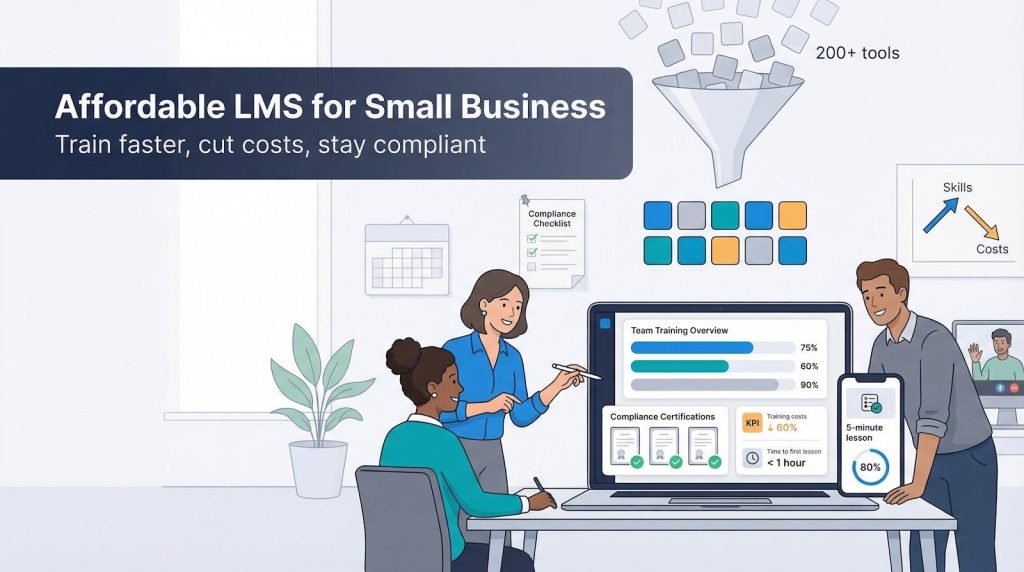
We compared more than 200 tools, tested each in live demos, and sifted through 200-plus real-user reviews before narrowing the list to ten. Price came first: every product had to fit a small-business budget with transparent entry plans or a truly free tier.
Ease of setup mattered next. A solo HR manager should be able to launch courses in a weekend without asking IT for rescue. We also looked for built-in course authoring or content libraries, because few owners have time to build everything from scratch.
GoSkills lists 146 ready-made courses covering Excel, project management, and soft skills, and each video lesson runs three to seven minutes.
That bite-size library let us invite five teammates and have them watching their first lesson in 42 minutes during testing.
We used that sub-one-hour rollout as a benchmark for every other platform we evaluated.
Finally, we checked compliance tracking, integrations with everyday apps like Slack or Google Workspace, and the quality of vendor support. Only platforms that balanced all six factors—cost, simplicity, content tools, compliance, integrations, and support—made the cut.
GoSkills – best for ready-made courses and rapid rollout
Picture logging in on Monday to find a full library of Excel, project-management, and soft-skill courses waiting for your team. That is GoSkills in a nutshell.
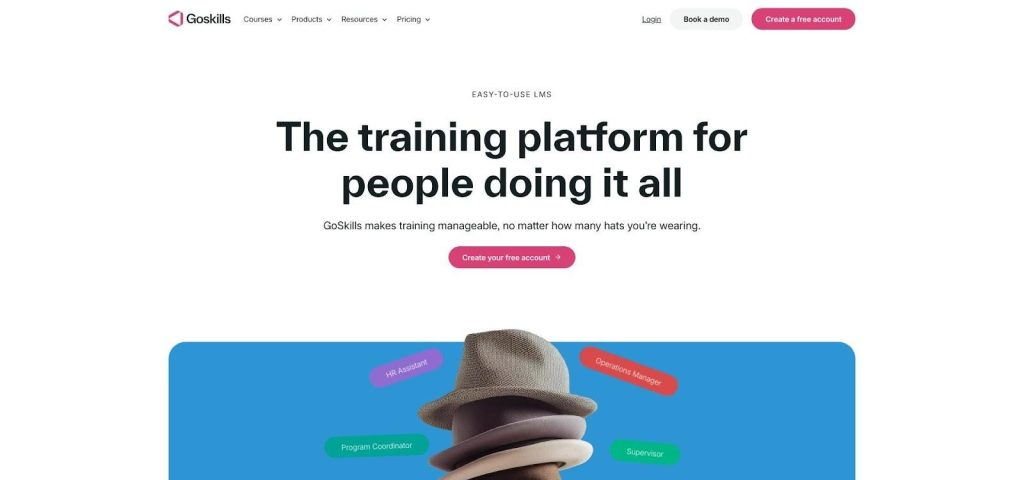
GoSkills LMS Dashboard Screenshot for Ready-Made Course Library
Because the content is built in, you skip creating modules from scratch. Administrators invite learners with a few clicks, brand the portal with company colors, and watch real-time dashboards fill with progress data.
Learners move through five-minute micro-lessons that feel more like a mobile app than traditional e-learning. Quizzes at the end of each bite-size segment lock in knowledge and issue certificates automatically.
Pricing stays predictable, about $29 per user each month, so you can scale without budget surprises. If you need training immediately and do not have an instructional designer on staff, GoSkills is a practical answer.
TalentLMS – best all-purpose option for small teams
TalentLMS wins fans for one reason: anyone can run it. Upload a video or slide deck, drag a few quizzes into place, and launch a course before lunch.
The interface feels familiar, so employees join from desktop or phone without extra coaching. Badges keep momentum high, and automatic reminders prompt late learners, saving you follow-up emails.
The Starter plan supports 40 users for about $69 per month, and a free tier serves micro teams. When headcount grows, you move to the next bracket with no contracts or hidden fees.
If you need one platform for onboarding, up-skilling, and the occasional customer course, TalentLMS delivers breadth without excess.
Moodle – best free, fully customizable platform
Moodle is the do-it-yourself route. The software is free, and the feature list reads like an enterprise checklist: SCORM support, discussion boards, detailed grading, and hundreds of plug-ins for video, Zoom, and gamification.
That freedom brings responsibility. You need a server, someone comfortable with backups and updates, and patience to navigate a dense admin dashboard. Think of Moodle as a blank canvas; if you are tech-savvy, or have a friendly IT partner, you can craft a learning portal that mirrors your brand and workflows while avoiding per-user fees. A basic VPS starts around $10 per month, so ongoing costs stay low.
For cash-strapped nonprofits, training consultancies, or any small business that values control over convenience, Moodle remains a strong contender.
iSpring Learn – best for polished, compliance-ready training on a budget
Some courses need more than a quick video and quiz. When you require structured learning paths, certificates, and board-room-level reports—while still paying small-business rates—iSpring Learn fits the bill.
Its standout tool is the authoring add-in that snaps into PowerPoint for creating training presentations. Turn existing slide decks into interactive, SCORM-compliant modules in minutes, then publish to the LMS with one click. No steep learning curve or extra plug-ins.
Learner dashboards look professional without feeling cold. Employees can track their place in a 30-60-90-day onboarding sequence, and managers pull status reports in less time than it takes to finish a cup of coffee. Pricing stays fair at about $3 per active user each month; during slow seasons your bill drops automatically.
Combine that pay-as-you-train model with responsive live-chat support and you get enterprise-grade capability without the enterprise invoice. Ideal for teams that want compliance strength at a sensible cost.
Thinkific – best platform to package and sell your expertise
Sometimes training goes beyond internal needs. Maybe you want to certify customers, upsell premium workshops, or turn hard-won know-how into a new revenue stream. Thinkific was built for that role.
The drag-and-drop builder feels like designing a website, not configuring an LMS. Add videos, PDFs, or quizzes, choose a polished theme, and your course storefront is live. Built-in checkout pages accept Stripe and PayPal, so you can collect payments immediately without extra plugins.
A flat $36 monthly fee covers unlimited students, and Thinkific takes zero percent of your sales, so every dollar after the subscription belongs to you.
For internal learners, skip the paywall and invite employees at no charge, yet the platform shines when you teach partners, clients, or the public. If “train and monetize” sits on your 2026 roadmap, Thinkific converts that goal into additional income.
LearnDash – best for WordPress-based training
If your site already runs on WordPress, LearnDash lets you add a full LMS to the domain you own and control. A one-time $199 license covers one site; install it like any theme and your existing domain becomes a training hub.
Because everything lives in WordPress, you keep the visuals, user accounts, and search visibility you have built over years. Need a new lesson? Create it in the block editor you use every day. Want gated member content? Pair courses with WooCommerce or a membership plugin and accept payments right away.
LearnDash also offers drip schedules, full-feature quiz engines, discussion forums, and certificates without monthly SaaS fees. Add-ons fill any gaps: Zoom classes, advanced reports, and gamification badges install in a click.
The trade-off is upkeep. You or your host handle updates and backups just as you do for WordPress itself. If you value ownership, branding freedom, and the power to edit every pixel, LearnDash turns your familiar CMS into a training workhorse that fits a micro-business budget.
Connecteam – best for training a mobile, deskless workforce
Retail associates, delivery drivers, and construction crews rarely sit at a desk, yet they still need safety refreshers and product updates. Connecteam puts those lessons on the phones they already carry.
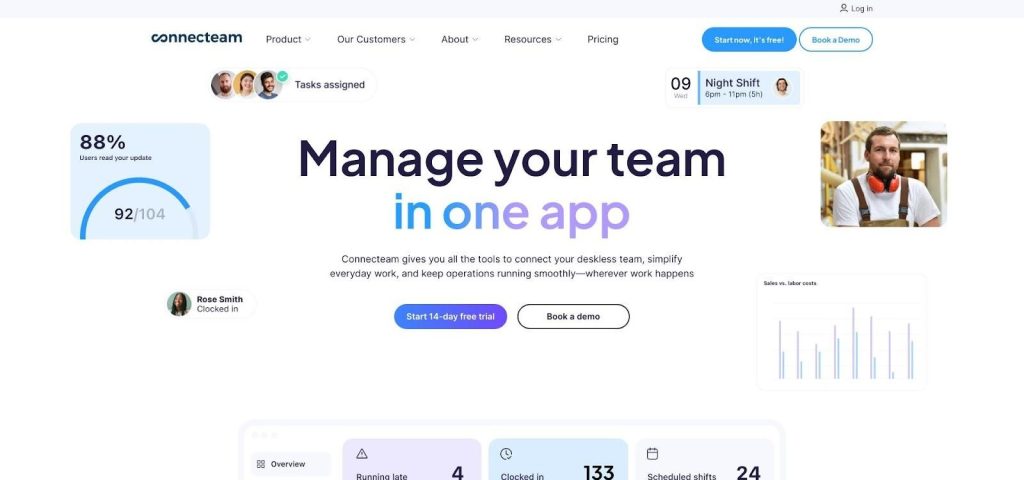
Connecteam Mobile LMS App Screenshot for Deskless Workforce Training
The app combines micro-courses, shift scheduling, chat, and digital checklists on one home screen, so learning fits naturally between clock-ins and route stops. Push notifications remind staff to finish a five-minute quiz before their next break, and managers track completion without chasing paper sign-offs.
Cost stays predictable: the Small Business plan covers up to 30 users for about $29 per month. A free tier supports up to ten users, and adding more staff moves you to the next flat bracket with no per-seat math.
If your team spends more time in steel-toed boots than swivel chairs, Connecteam keeps training, communication, and daily operations moving in one phone-friendly place.
Coassemble – best for building slick courses fast
When you need training ready tomorrow but still want it to look polished, Coassemble is the shortcut. The platform ships with dozens of interactive templates—flashcards, image hotspots, scenario slides—that convert raw content into finished modules in about a lunch break.
AI Assist speeds things up further: paste an outline and the tool drafts copy, quiz questions, and suggested stock images, leaving you to adjust tone instead of writing every word.
Coassemble bills by active learner, not total headcount, so seasonal spikes never wreck the budget. Small teams pay about $7.50 for each learner who logs in during a given month.
For growing companies that prize good design but lack a full-time instructional designer, Coassemble pairs a deep feature set with a rapid-fire editor.
Trainual – best for documenting processes and onboarding playbooks
Three-ring binders gather dust. Trainual converts those policies into bite-size lessons that new hires finish on day one and seasoned staff revisit when memory fades.
Outline a process such as “how we close the register,” add screenshots, short videos, and quick quizzes, then assign it to the cashiers who need it. The system records who read what and flags gaps automatically.
A flat $99 monthly fee covers up to 25 users, so you do not tally seats every time you bring on seasonal help. Because Trainual connects with Slack and Zapier, updates post directly in the channels your team already uses.
If undocumented know-how sits in one manager’s head, Trainual captures it, standardizes it, and makes onboarding feel like step-by-step navigation instead of guesswork.
Absorb LMS – best for advanced analytics and rock-solid compliance
Some small businesses work under strict rules: healthcare clinics, financial advisers, and manufacturers with OSHA oversight. Absorb delivers the enterprise-grade features those environments require without the cost of full-scale ERP suites.
Learners see a clean interface, while admins set automation rules that enroll staff by role, location, or certification date. Dashboards filter data by department, region, or quiz score, and audit-ready certificates are two clicks away.
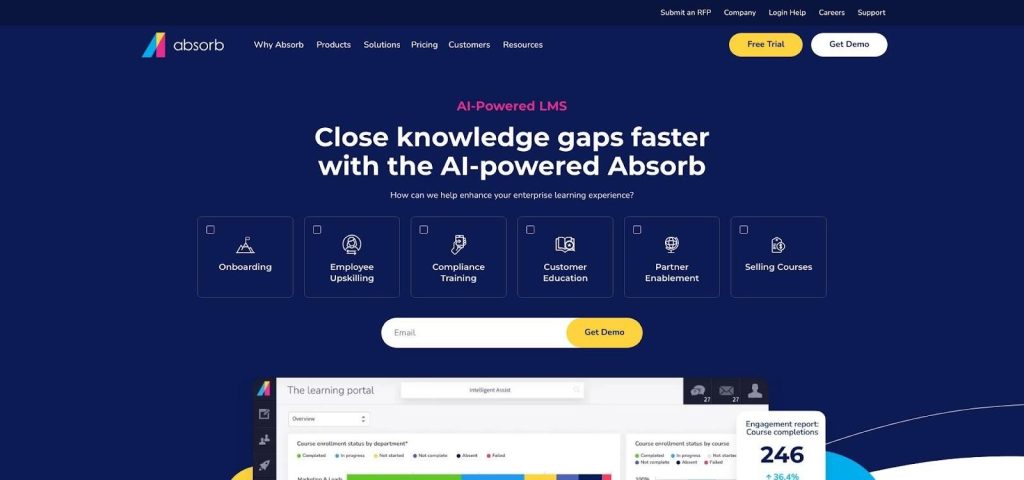
Absorb LMS Analytics and Compliance Dashboard Screenshot
Pricing is quote-based, but many firms report starting figures around $9 per user each month for 100 active learners, offsetting separate reporting add-ons or custom compliance tools. You also gain a large content marketplace, single sign-on, and an API that connects smoothly with HR and CRM systems.
If a potential fine would dwarf an LMS subscription, Absorb provides compliance confidence in a learner-friendly package.
At-a-glance comparison
Once you can see the essentials side by side, choosing becomes simpler. Use the grid below to spot the platform that matches your must-haves and your budget.
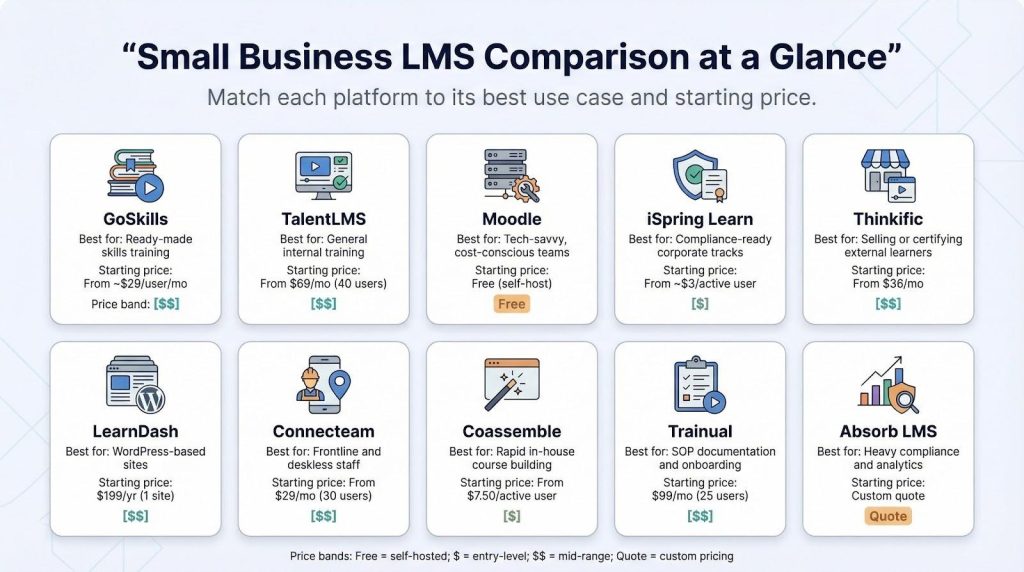
Platform | Best for | Starting price* | Free trial/plan | Stand-out strength | Primary limitation |
GoSkills | Ready-made skills training | About $29 per user per month | Yes | Library of business courses included | Limited deep customization |
TalentLMS | General internal training | $69 per month (40 users) | Yes | Fast, friendly setup | Basic analytics at scale |
Moodle | Tech-savvy, cost-conscious teams | Free (self-host) | Not available | Unlimited control, no seat fees | Requires ongoing maintenance |
iSpring Learn | Compliance-ready corporate tracks | About $3 per active user per month | Yes | PowerPoint-to-course authoring | Fewer native integrations |
Thinkific | Selling or certifying external learners | $36 per month | Yes | Built-in e-commerce, zero revenue share | Minimal compliance reporting |
LearnDash | WordPress-based sites | $199 per year (one site) | Refund window | Own it on your server, rich quiz engine | You manage hosting and updates |
Connecteam | Frontline and deskless staff | $29 per month (30 users) | Yes | Mobile-first super-app | Not a full SCORM LMS |
Coassemble | Rapid in-house course building | $7.50 per active user per month | Yes | Slick templates, AI assist | Smaller integration library |
Trainual | SOP documentation and onboarding | $99 per month (25 users) | Yes | Turns processes into lessons quickly | Limited multimedia depth |
Absorb LMS | Heavy compliance and analytics | Custom quote | Demo | Enterprise-grade reports | Higher investment |
*Prices in US dollars; data from January 2026.
Buyer’s guide & FAQ
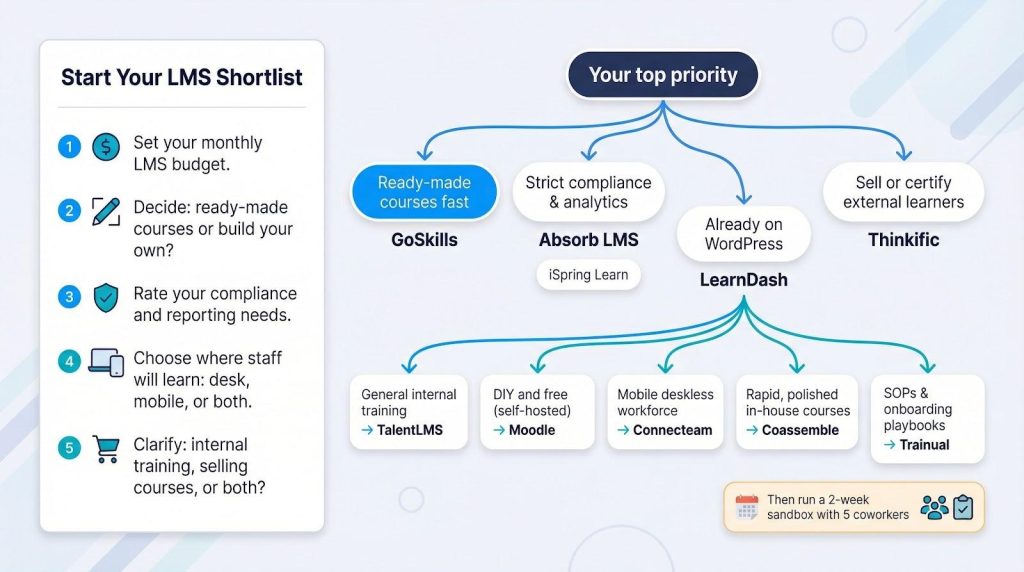
Choosing the “best” LMS is really about matching a tool to your mix of budget, headcount, content needs, and compliance pressure. The answers below cut through the noise and help you decide quickly.
What is the single best LMS for a small business?
There is no universal winner. If you need courses ready out of the box, GoSkills leads. For strict compliance, choose Absorb. Running on WordPress? LearnDash integrates naturally. List your top two must-haves, often content-creation effort and reporting depth, then select the platform that covers those first.
Are there truly free options?
There is no subscription cost for Moodle, which you can run on your own server, and Google Classroom is free within Google Workspace. Both save cash but require admin time. For a pilot, TalentLMS and Thinkific each offer a free tier large enough to test with a small group.
What is the cheapest paid LMS that still feels professional?
Focus on active-user pricing. iSpring Learn runs about $3 per learner in any month they log in, so you pay only when people train. For a 40-person team that completes courses quarterly, the annual bill stays far below flat per-seat models.
How do I compare platforms quickly?
Run a two-week sandbox. Upload one existing slide deck, invite five coworkers, and check three things:
- Time from invite to first lesson
- Ability to pull a quiz-by-user report
- Whether support answers a real question within 24 hours
The tool that aces that mini-sprint can grow with you.
What hidden costs trip up small businesses?
Content creation tops the list, so budget time or money for writing, video, or stock images. Next is administration: someone must update users and pull reports. Integrations come third—linking the LMS to HR, SSO, or payroll may need a paid connector or developer hours. Plan for these, and your affordable LMS stays affordable.
Key trends shaping SMB learning in 2026
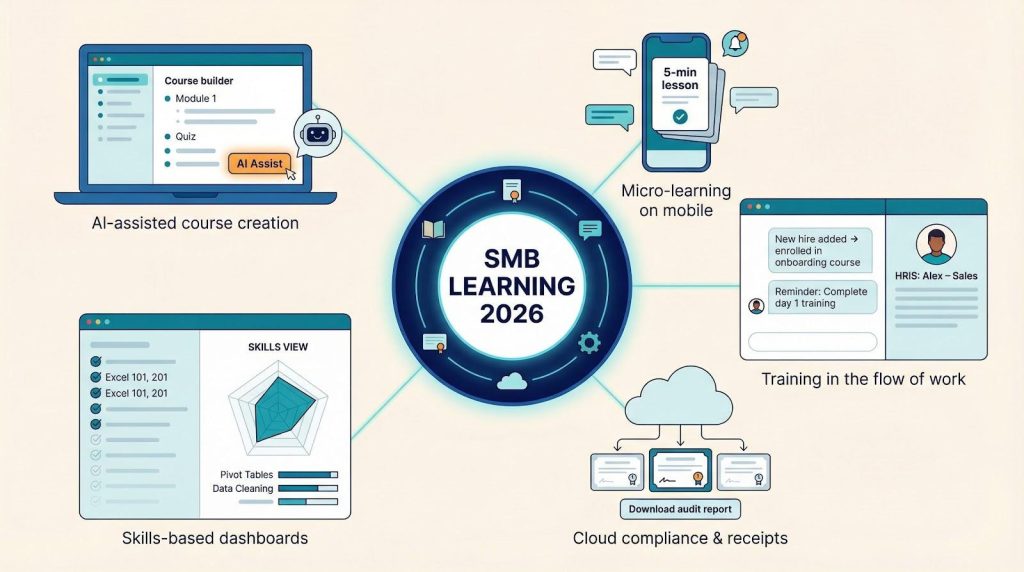
Artificial intelligence accelerates the content factory.
Most vendors now include an “AI assist” button in course builders. Paste an outline, and the system drafts slides, quiz banks, and suggested visuals in seconds. Early adopters report cutting development time by fifty percent. Treat these tools as a first draft; with that boost, a small team can match enterprise course libraries.
Micro-learning becomes the default format.
Employees avoid hour-long videos but gladly finish a five-minute scenario on their phone. LMS platforms now drip lessons daily, send push reminders, and unlock modules only after short quizzes. The payoff is higher completion rates and better retention, without stealing whole afternoons from the schedule.
Skills tracking eclipses course counting.
Forward-looking systems no longer ask, “Did Jane finish Excel 101?” They ask, “Can Jane create pivot tables?” Dashboards connect competencies to business goals, then flag gaps. For small businesses, this shifts random training into a targeted up-skilling plan tied to performance reviews.
Compliance moves to the cloud, complete with receipts.
Regulators now accept digital certificates and time-stamped audit trails as proof of training. Modern LMS tools issue those receipts automatically and store them indefinitely, so when an inspector calls you can pull a report in two clicks instead of rifling through binders.
Deeper integrations pull learning into the flow of work.
Slack reminders, Teams tabs, and HRIS triggers enroll staff the moment they join a department. Training feels less like a separate event and more like part of the daily toolkit, which drives engagement without extra follow-ups from managers.
Conclusion
Choosing an affordable LMS in 2026 is less about finding a single “best” platform and more about matching features to your company’s size, budget, and compliance demands. Use the comparison grid, run a brief sandbox test, and prioritize support responsiveness. With the right fit, your small business can deliver engaging, data-driven training that scales as you grow—without breaking the bank.