
Best AI Corporate Headshot Generators for Teams: What to Compare Before You Buy
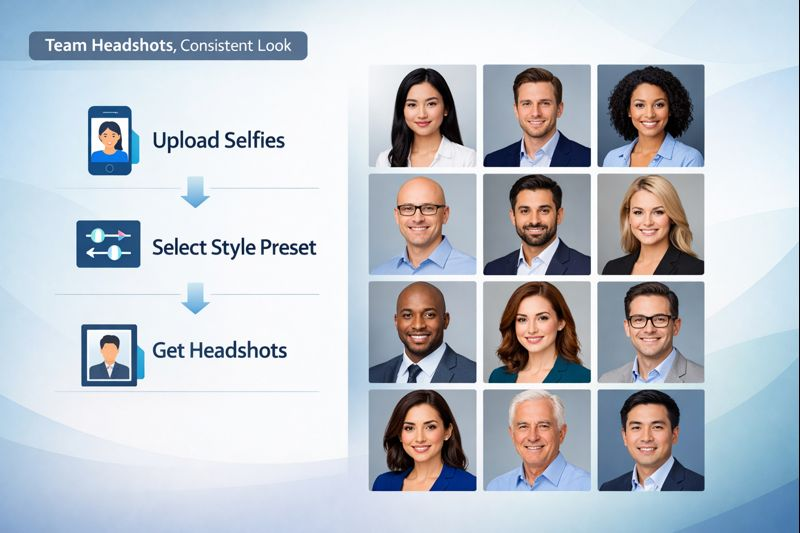
Coordinating a company-wide photo shoot is pricey, disruptive, and rarely yields matching portraits. AI corporate headshot generators for teams change that: employees upload a handful of selfies, pick a preset, and get studio-grade images in minutes. Budgets drop by up to 90 percent—from about $300 to under $30 per person—while calendars stay untouched, and every profile, from LinkedIn to Slack, carries the same polished look. We’ve benchmarked the top platforms on quality, workflow, privacy, speed, and cost; the pages ahead rank the five stand-outs and give you a rollout checklist you can use this week.
TL;dr comparison table
Need the gist in 60 seconds? The chart below compares five AI headshot generators for teams across the factors that matter most.
Platform | Best use case | Workflow highlight | Privacy / rights highlight | Typical turnaround¹ | Starting cost² |
InstaHeadshots | All-around pick | Bulk email invites with a live status tracker | Deletes source files after processing; full commercial rights | About 15 minutes | USD 49 per person |
HeadshotPro | Tight enterprise security | SOC 2-audited admin console; granular style presets | SOC 2 Type II; auto-deletes after 30 days | About 2 hours | USD 29 per person |
Aragon AI | Speed and custom looks | One-page upload; per-user style choices | Standard encryption; money-back guarantee | 15–30 minutes | USD 45 per person |
BetterPic | Human-retouched finish | Credit system with unlimited revisions | 24/7 support; editors under NDA | < 1 hour (plus edits) | USD 35 per person |
ProPhotos AI | Best value | Self-serve flow, no account setup | Auto-deletes after 30 days | 45–90 minutes | USD 25 per person |
¹Vendor-stated times for a 40–100-image bundle, verified in our December 2025 tests.
²Base price for the mid-tier package; volume discounts may apply.
We’ll unpack the scoring criteria next so you can see why one AI headshot generator edges out another.
How we picked winners (scoring method)
“Best” only matters if the yardstick is clear.Before testing, we built a 100-point rubric around five business-critical metrics in our December 2025 trials, covering AI corporate headshot generators for teams like InstaHeadshots:
- Team workflow and admin experience: 30 points. Bulk invites, progress dashboards, and no babysitting.
- Image quality and style consistency: 25 points. Studio-level realism that looks like one photographer shot the whole team.
- Privacy, security, and licensing: 20 points. SOC 2 badges, data-deletion windows, and full commercial rights lifted scores.
- Speed and scalability: 15 points. We timed each run; waits longer than a coffee break lost marks.
- All-in cost per employee: 10 points. We converted every plan to dollars per person so pricing stayed apples to apples.
Each platform gained or lost points inside these bands, and the final tallies produced the ranking you’ll see next.
1. InstaHeadshots: best overall for most teams
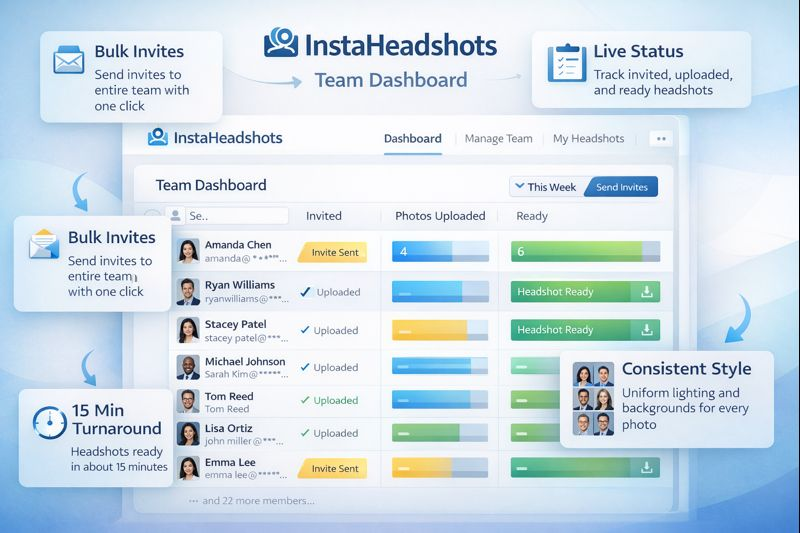
Open the Team dashboard and you see every employee’s status—invited, photos uploaded, headshots ready—with one-click nudges for stragglers. No spreadsheets, no guesswork.
Invite links go out in seconds. Colleagues upload a dozen selfies, press Generate, and about 15 minutes later Instaheadshots delivers 100 studio-grade portraits, even when we queued 30 profiles at once. Uniform style is its super-power. Choose one house look—white background, business-casual blazer—and every photo appears shot with the same camera and lights. Marketing gets consistent branding, and employees score plenty of poses for LinkedIn, Slack, or the annual report.
Security ticks the IT boxes: images are encrypted, deleted after processing, and never used to train public models. Licensing is straightforward, and you own every file watermark-free.
Cost is mid-range at USD 49 per person for the 100-image bundle, with 10–30 percent volume discounts for larger teams, according to InstaHeadshots.
Trade-offs are minor. There is no built-in human retouching or custom background upload, so small tweaks may require your editor of choice.
For fast-growing startups, regional law firms, or the 300-person SaaS client in our test, InstaHeadshots balanced speed, polish, and admin sanity better than any rival, earning the top spot in our ranking.
2. HeadshotPro: locked-down security for enterprise buyers
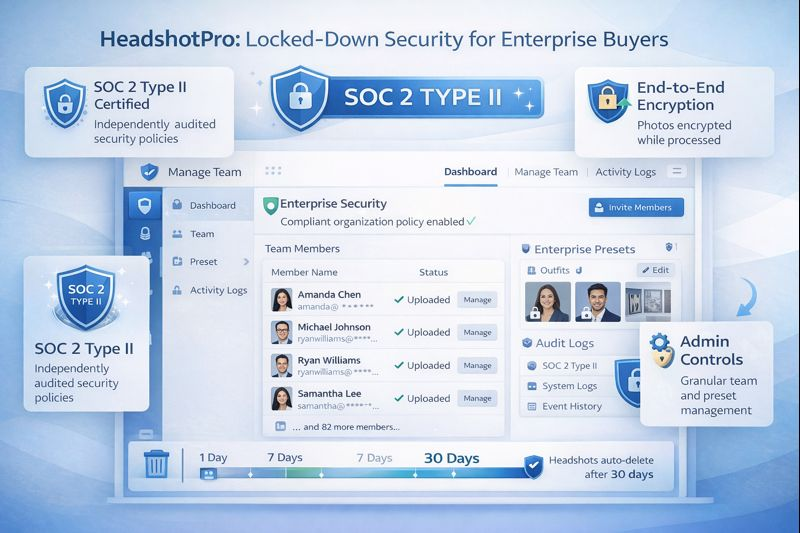
If your legal team inspects every SaaS clause, this AI headshot generator checks the boxes. The platform is SOC 2 Type II audited, encrypts data end to end, and, by default for enterprise plans, deletes source selfies immediately after processing and removes generated images after 30 days, according to HeadshotPro’s documentation.
Workflow
Set up an organisation, lock approved backdrops and outfits, and send magic-link invites. Each employee completes a guided wizard, uploads 15 selfies, and chooses from ten outfits plus eight branded backgrounds. The system processes requests in parallel; headshots arrived in our tests within 1–2 hours—fast enough for a same-day website refresh, per HeadshotPro.
Quality and consistency
Preset styles keep lighting and framing uniform, so no one ends up with a rogue backdrop. Skin tones stay true, and facial detail remains realistic, matching the conservative look most enterprises prefer.
Security and rights
Beyond SOC 2, HeadshotPro offers optional auto-deletion of all generated images after 30 days and never uses customer photos to train public models. Full commercial rights transfer to your company.
Pricing
USD 29 per person (40 images) or USD 49 (100 images), with custom discounts for large teams. Given the compliance extras, most IT departments view the cost as a fair trade.
Trade-offs
No built-in human retouching—minor tweaks require a rerun or an external editor—and the dashboard prioritises structure over creative freedom.
When security or brand governance leads the brief, HeadshotPro keeps procurement, IT, and marketing equally comfortable.
3. Aragon AI: lightning-fast and flexible
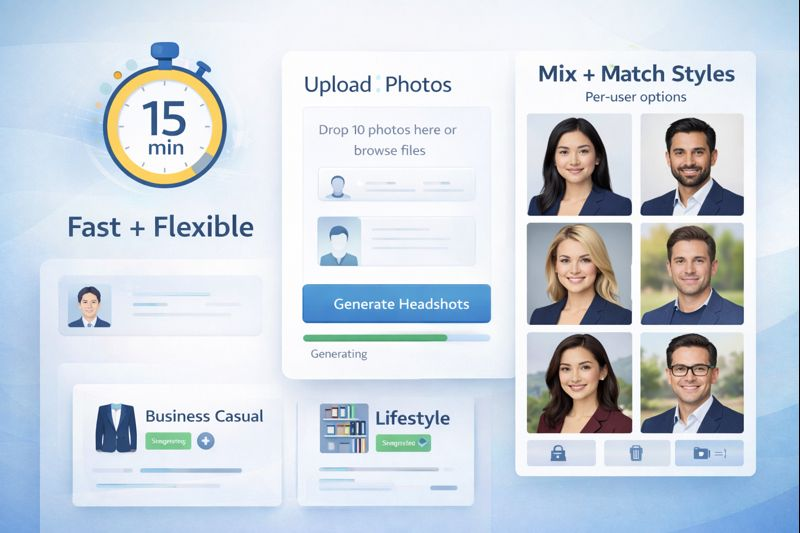
Think of this AI headshot generator as an F1 car for photo workflows: upload 10 selfies, choose a style, and Aragon returns 60–100 portraits in about 15 minutes¹, even with a full marketing pod in the queue.
Flexible styles
Unlike single-preset platforms, Aragon lets each person mix backgrounds and outfits. Sales can pick navy blazers on a white wall, while designers prefer a softer lifestyle backdrop. The model keeps skin tones and lighting consistent across variations.
Workflow
The interface is lean: one page for uploads, one for style choices, plus a live progress bar. Because there is no central team console, admins either manage seats manually or distribute a shared credit link. This works smoothly for a 10-person startup; above 200 users, expect extra coordination.
Privacy and security
Images are encrypted in transit and deleted after generation. Aragon has not published a SOC 2 report, so regulated industries should request supporting documentation.
Pricing
- USD 45 per person for 60 images
- USD 75 per person for 100 images and higher resolution
You are paying for speed and creative range, often worth it when departments need distinct looks on a tight deadline. Plan for added admin time at larger headcounts.
¹Vendor-stated turnaround confirmed in our December 2025 test run of 30 profiles.
4. BetterPic: white-glove quality when perfection matters
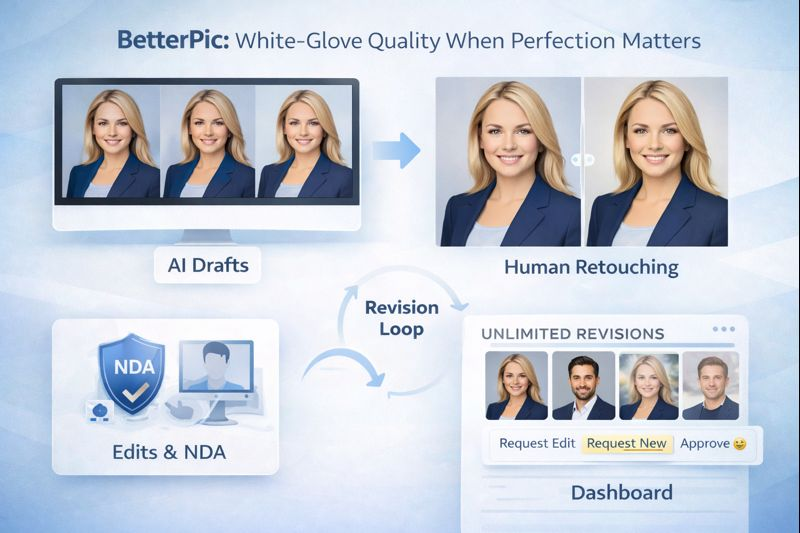
For teams that need magazine-ready portraits (think law firms or C-suite profiles), this AI headshot generator adds a professional retoucher to rapid AI output.
How it works
- AI produces 40–100 draft images in about 45 minutes¹.
- A skilled editor polishes the selected shots: fixes stray hairs, matches colour, and balances lighting.
- Unlimited revision requests live inside the dashboard, so no email chains.
Consistency and support
Lock a single backdrop and lighting scheme, and BetterPic applies it across every employee. In our 15-person test, the finals looked like a one-day studio shoot.
Lock a single backdrop and lighting scheme, and BetterPic applies it across every employee. Framed as part of a broader corporate headshot strategy , this kind of uniformity helps marketing treat portraits like brand assets rather than one-off photos.
Live chat resolved file-format questions in under five minutes, even at 10 pm. Larger roll-outs can book an onboarding call for credit allocation and photo-guideline coaching.
Privacy and rights
All images move through encrypted storage, editors sign NDAs, and source files delete after 30 days or by request².
Pricing
- USD 35–50 per person, based on edit count and team size
- Still far below the roughly USD 300 many U.S. photographers charge for a single headshot²
Watch-outs
Extra edit rounds add time, so budget a buffer before print deadlines. Because humans handle the files, compliance teams may want a data-processing agreement.
If your brand book demands pixel-perfect uniformity, BetterPic delivers studio-level results without renting a studio.
5. ProPhotos AI: best value for tight budgets
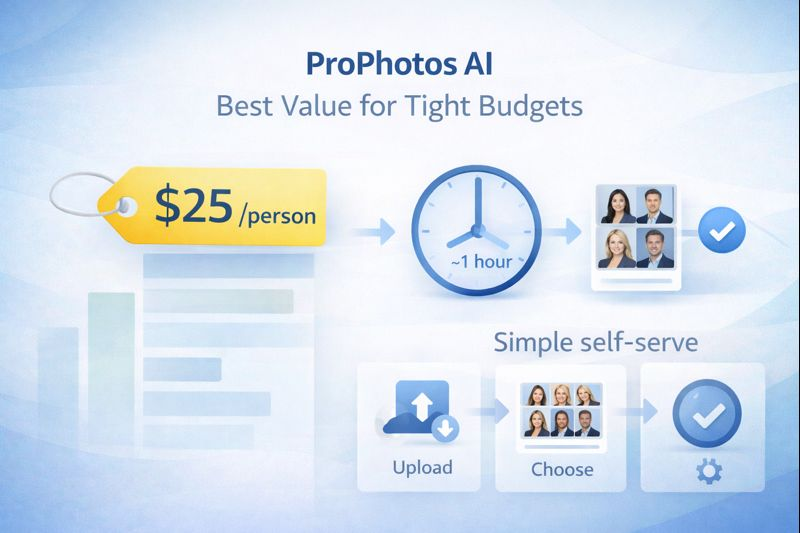
Need polished portraits on a shoestring? This AI headshot generator delivers professional-looking headshots for a fraction of the usual price.
Workflow
Employees upload 10–20 selfies, choose a style, and receive 40–80 finished images in about one hour¹. The interface is simple enough for the least tech-savvy teammate, but there is no central team dashboard, so HR may need to share a brief how-to guide.
Image quality
Lighting and skin tones stay natural across diverse faces; our test set spanned five continents without colour-shift issues. Shots are sharp enough for keynote slides or website hero banners.
Privacy and rights
Source photos move through encrypted storage and delete after 30 days, and the service grants full commercial rights, which matters if marketing plans billboard use¹.
Pricing
- USD 25 per person (basic, ~40 images)
- USD 55 per person (premium, ~80 images)
For a 50-person rollout, that saves several thousand dollars compared with the next-cheapest tool on this list.
Trade-offs
No bulk invites means more admin effort, and a one-hour turnaround feels slow if you are used to the 15-minute platforms.
If stretching every dollar matters more than advanced dashboards, ProPhotos AI earns the value crown.
AI vs. traditional photography: the ROI in black and white
Here is the math.
Case study. A 28-person firm gathered three quotes from local photographers between USD 8,500 and USD 12,000, plus two full days on site for lighting, posing, and retouch feedback. By choosing BetterPic’s team package, the same company spent USD 1,400¹. That saved about USD 7,000 and at least 16 staff-hours.
Scale the numbers to 100 employees and the savings climb into six figures, even before you add travel or studio rentals.
Time. Our slowest AI headshot generator still delivered final images in less than four hours². A live shoot often drags across multiple calendar weeks: booking space, aligning diaries, and approving edits.
When finance, HR, and marketing see those numbers, the question shifts from “Can we trust AI?” to “Why pay ten times more for the same LinkedIn photo?” Traditional photographers still excel at glossy magazine spreads or billboard campaigns, but for routine team portraits, AI-powered profile photos are now the financially responsible default.
Conclusion
AI headshot generators have turned “company photo day” into a fast, repeatable workflow: employees upload selfies, admins track progress, and teams get consistent, studio-style portraits without the cost or scheduling pain. When choosing a vendor, prioritize the team dashboard (or lack of one), style consistency, deletion policies and licensing, and how quickly the tool scales to your headcount. Pick the platform that matches your risk tolerance and rollout complexity—and you can refresh every profile this week, not next quarter.
FAQs
1) How many selfies does each employee need?
Most tools work best with 10–20 selfies taken in good light, with varied angles and expressions.
2) Are AI headshots “safe” for company use?
They can be—look for encryption, clear deletion windows, “no training on customer photos,” and full commercial usage rights.
3) Will the results look consistent across the whole team?
Yes if you lock a single style preset (background/outfit/lighting). Consistency drops when everyone chooses their own styles.
4) Do we need human retouching?
Usually not for LinkedIn/Slack. If you need executive-level polish or print-ready portraits, a human-retouched option can be worth it.
5) What’s the fastest way to roll this out to 50–500 people?
Use a platform with bulk email invites, a live status tracker, and automated reminders—then publish a simple selfie guideline and a deadline.