
The Complete Guide to Securing Your Company’s In-House Data Center
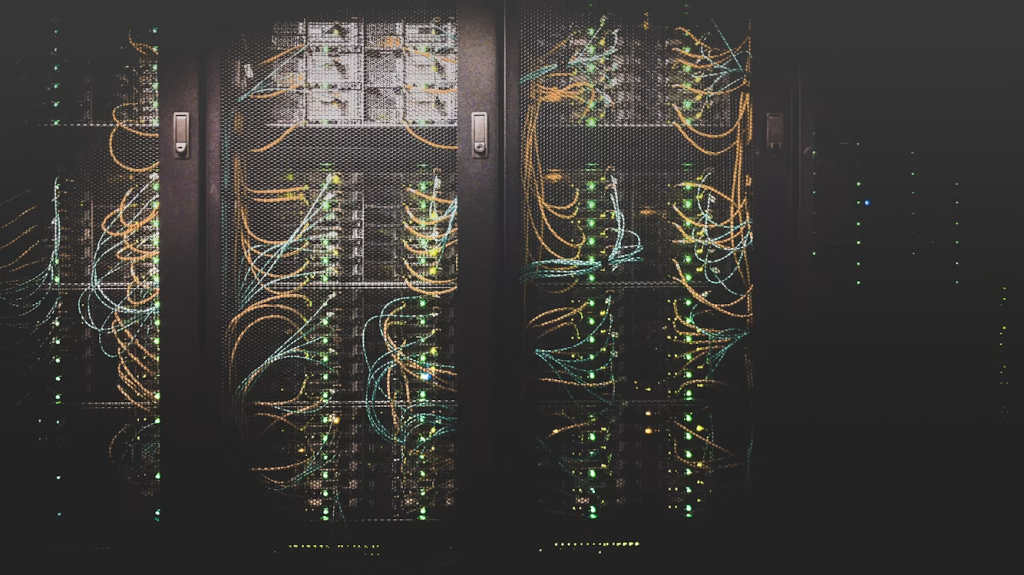
Your company’s in-house data center isn’t just servers and cables. It’s what holds your customer trust and employee details, and assists with daily operations your business depends on. A single weak point can put all of that at risk.
The Wall Street Journal reports that US data breaches hit a record 3,205 in 2023. This total increased 78% from 2022 and 72% from 2021.
The World Economic Forum’s records further show that compromised user accounts jumped eightfold to over 5.5 billion in 2024 compared to the previous year. Third-party links caused 35.5% of all reported data breaches, showing a steady annual increase.
Numbers like these can feel overwhelming, but in-house data center security doesn’t have to be complicated. Here’s how you can effectively secure your company’s in-house data center.
Build Strong Digital Defenses From the Ground Up
Every secure data center starts with reliable digital protection that limits opportunities for attackers to access valuable information. Firewalls should separate sensitive systems from public networks while blocking suspicious traffic before damage occurs.
Multi-factor authentication adds another barrier that makes stolen passwords much less useful. Strong password policies also reduce the chances of unauthorized access through weak credentials. Regular software updates close known security gaps before criminals can exploit them for their own advantage.
Continuous monitoring allows your team to spot unusual activity and respond quickly before problems spread across connected systems. Backup systems should receive equal attention because ransomware attacks can affect organizations of every size. Testing recovery plans regularly ensures your business can restore important information quickly when needed.
Strengthen Physical Protection Around Your Data Center
Cybersecurity matters greatly, but physical protection deserves equal attention because someone with direct access can bypass many digital safeguards.
Restrict entry using electronic access cards, biometric authentication, and detailed visitor logs that document everyone entering secure areas. Install surveillance cameras that monitor every entrance, hallway, and equipment room throughout the entire day. Good lighting, locked server cabinets, and trained security personnel create additional barriers against unauthorized access.
Security becomes even stronger when you control what people carry into restricted spaces. Install a walk-through metal detector at the entry point. This can prevent people from sneaking into the data center with portable flash drives and other electronic devices.
According to GXC Inc., reliable walk-through metal detectors provide precise threat detection using advanced electromagnetic technology. They help screen people before they enter the data center or other areas containing sensitive servers and networking equipment.
Prepare Employees to Support Long-Term Security
Technology alone cannot protect your company if employees unknowingly create unnecessary security risks during everyday activities. SC Media reports that 95% of data breaches involve human error. Regular training helps everyone recognize phishing emails, suspicious behavior, and unsafe habits before they cause serious problems.
Staff members should understand how to report unusual incidents immediately instead of assuming someone else will handle them. Clear security policies also eliminate confusion about acceptable device usage, password management, and remote access responsibilities.
Refresher sessions throughout the year keep security practices current as new threats continue appearing across different industries. Creating a culture of accountability encourages employees to think carefully before sharing information or granting system access.
Periodic security drills give teams practical experience responding to emergencies without unnecessary panic or confusion. Reviewing lessons after every exercise helps improve future responses while identifying weaknesses that deserve additional attention.
FAQs
What is an in-house data center, and how does it differ from a cloud or colocation setup?
An in-house data center is a facility owned and managed by an organization to house its own servers, networking equipment, and storage systems. Unlike cloud services or colocation facilities, the organization maintains direct control over the infrastructure, maintenance, and physical security.
How do you restrict and monitor physical access to sensitive server rooms?
Organizations restrict and monitor server room access by using keycards, biometric authentication, surveillance cameras, visitor logs, and access control systems. Access should be limited to authorized personnel based on their job responsibilities and reviewed regularly for accuracy.
Can small and mid-sized businesses benefit from in-house data center security best practices?
Absolutely. Cybercriminals often target small and mid-sized businesses because they may have fewer security resources than larger organizations. Even modest investments in physical and digital security help protect sensitive business data, maintain regulatory compliance, and minimize costly downtime following a security incident.
Securing an in-house data center requires attention to both technology and the people responsible for protecting valuable information every day. None of these measures should exist on their own because every layer strengthens the others. Reviewing your security strategy regularly helps your company adapt as technology and risks continue changing.
Taking these practical steps today creates a safer environment that supports business continuity, protects customer trust, and keeps your most important information secure well into the future.